Expense tracker for PC
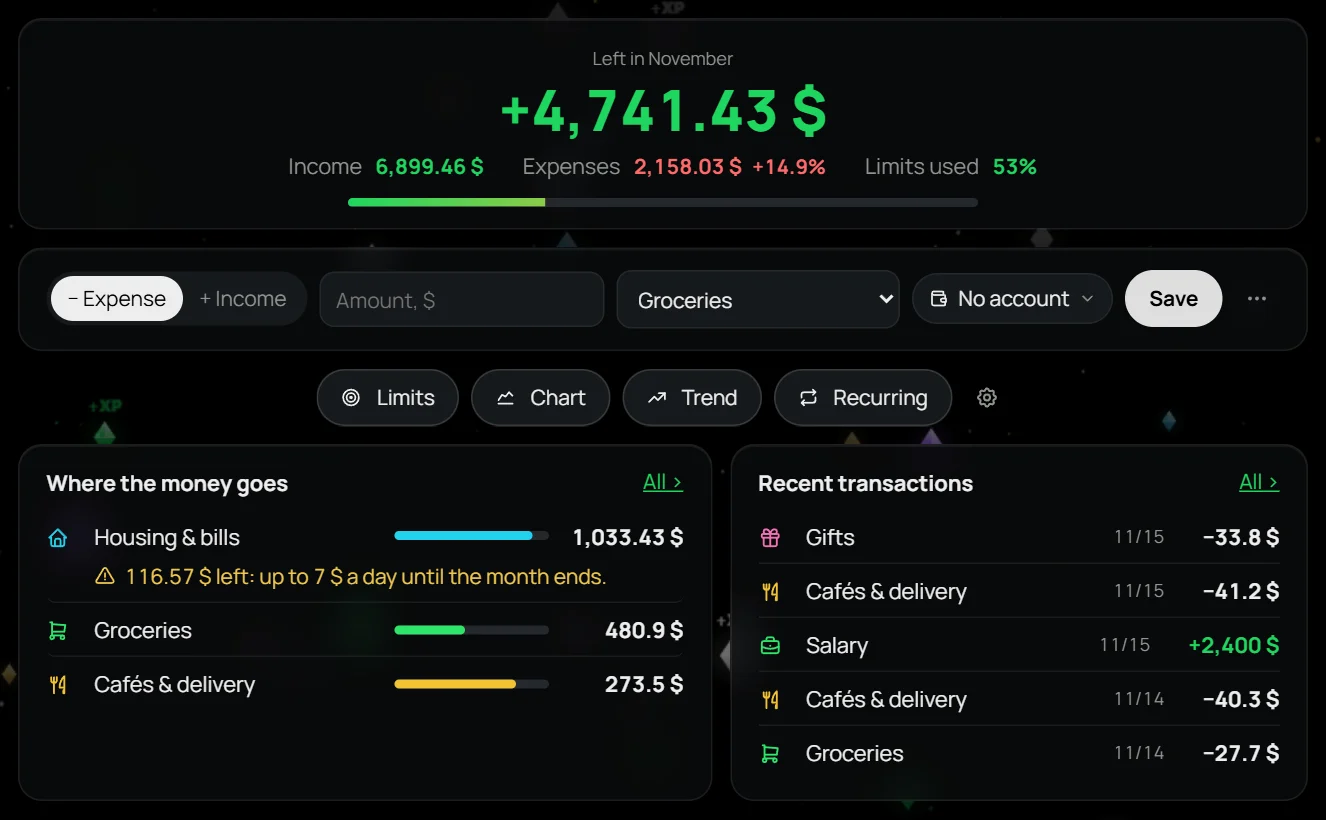
LEVEL UP is a Windows app where you log a purchase in one phrase: “coffee 5” — and the expense lands in the right category. You see how much you can spend per day and where your money goes.
What it does
- Income and expenses by category, monthly limits
- A hint of how much you can spend per day to stay within your limit
- Recurring payments and bills, with a reminder 1 or 3 days ahead
- Several currencies and live exchange rates
- Capital: how much money you have in total and how it grows
- Savings goals
- With free AI, a receipt photo turns straight into entries
Why not a spreadsheet
A spreadsheet is easy to abandon: open the file, find the row, don’t break the formulas. Here an expense takes a couple of seconds, and totals and charts add up by themselves.
Your money stays with you
No account and no bank connection. Everything is stored on your computer, with automatic backups to a folder of your choice, such as OneDrive. The app also has a habit tracker and fitness.
Questions
Is it free?
Yes, during the beta. Everyone who downloads the app during the beta gets the full version at 50% off.
Does it connect to my bank?
No. You log entries yourself — as a phrase, by hand or from a receipt photo. In return, your data goes nowhere.
Which systems does it run on?
Windows 10 and 11.
Windows 10 / 11 · no account · free during the beta